Before / after
Drag to see photos become product films
Left of the handle: the product photo you uploaded. Right: what shoppers see.
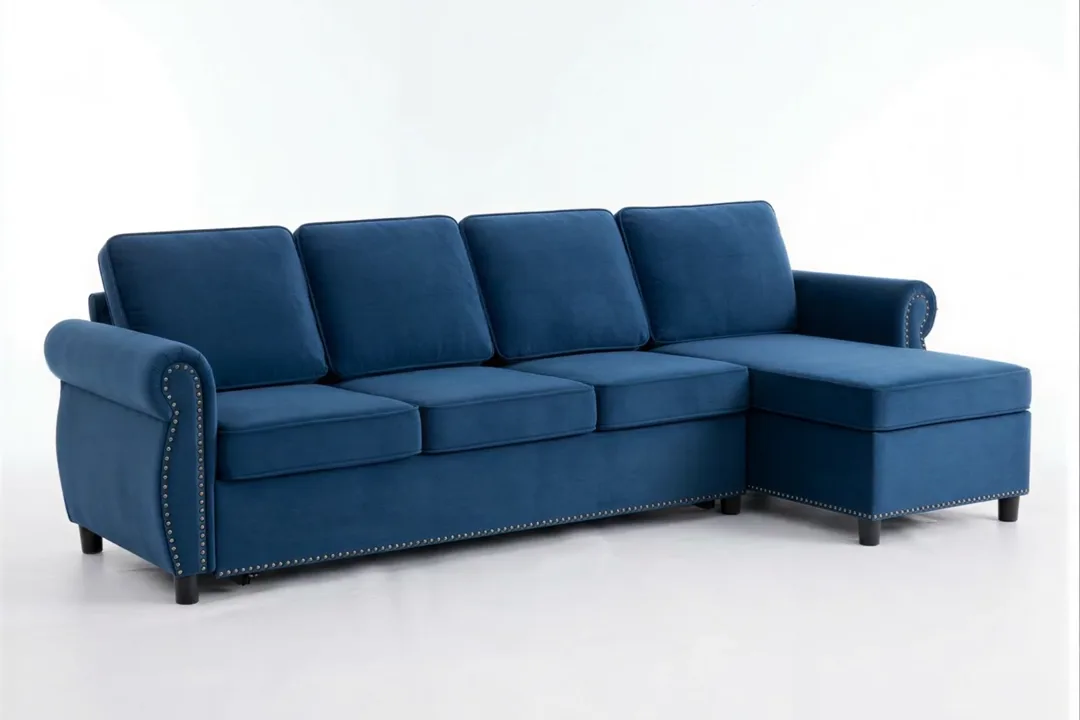 Photo Video
  Photo Video
 AI product video for online stores
Reelventory turns plain product photos into scroll-stopping product films — studio camera moves, designed overlays, voiceover and music. For one product or a thousand SKUs. No prompts. No editing.
Invite-only early access
Most AI video tools hand you an ad clip with captions burned on. Reelventory films the product you actually sell — grounded in your photos, priced so every SKU gets one.
Grounded · Art-directed · Catalog-scale
Workflow
Three steps. No editing suite, no prompts, nothing to learn.
The product photos you already have — 1 to 3 per video. Tell us where it’s going — TikTok Shop, Reels, Etsy, Amazon or your product page — and the format, length and sound snap to that platform’s rules.
A vision agent reads each product, picks the right camera movement for its category, sets the pace and cuts the film. No prompts, no editing, nothing to learn.
A designed, branded product video with music — ready in minutes, sized exactly for where it’s headed. Need another platform? Run the same photos in a new format.
TOTAL RUNTIME: MINUTES · YOUR INVOLVEMENT: STEP 1 ONLY
Before / after
Left of the handle: the product photo you uploaded. Right: what shoppers see.
Photo Video Photo Video Category-aware direction
Camera moves are chosen per product by an AI director tuned to each category — macro for jewelry, drape for fashion, room context for decor. Not a one-size template.
Grounded by design
Generative video has a habit of inventing — straps that morph, logos that drift. Reelventory's pipeline is engineered against it, because a video that flatters the wrong product costs you returns.
Camera moves are generated from and back to your original images, so motion reveals what the photo shows instead of imagining what it doesn't.
Every generated clip passes an automated fidelity check against the source photo; suspect shots are re-generated before you ever see them.
No invented colorways, no imaginary features — what's on screen is what's in the box. Suspect shots are re-generated automatically before you see them, and every shot has a one-click re-shoot; we recommend a quick review before you publish.
Catalog videos are anchored frame-for-frame to your photos. Product Ads stage new scenes — clearly labeled in the app, with the product itself kept exact.
Model motion
A model shoot with movement costs a studio day. Reelventory takes the model photos you already have and lets them move — a turn, a shift of weight, fabric that flows. The garment stays exactly the garment; the shot stops being a still.
Try it on your products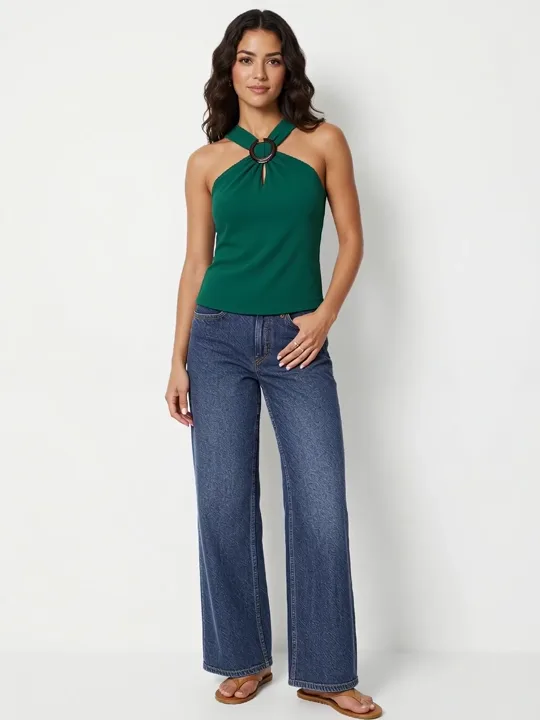 Photo Video
 Product Ads
Ad mode hands your photos to an AI ad director that stages a three-shot commercial — hook, feature, close — in scenes built for the scroll. The scenes are imagined. The product never is: design, colors, logos and text are carried over exactly and identity-checked against your photos.
One click. The director writes the concept, designs each shot and the motion that carries it — no prompts, no timeline editor.
Ad scenes are staged around the product you uploaded, never a restyled lookalike. Every staged frame is checked against your source photo before it animates.
9:16, ~9 seconds, music on — built for Meta and TikTok ad placements. For listings and PDPs, use Catalog videos: those stay anchored frame-for-frame to your photos.
Gel face wash

 the photos in
 Gemstone earrings


 the photos in
 Bridal lehenga


 the photos in
 Exercise bike
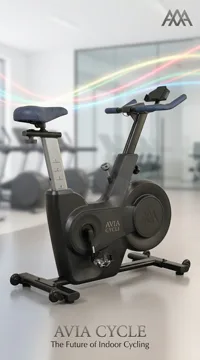
 the photos in
 BBQ grill set
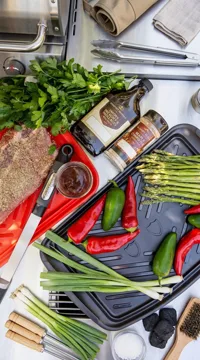
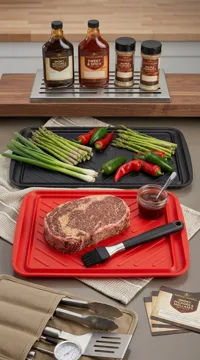
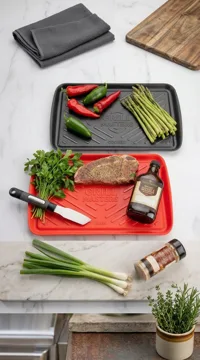 the photos in
 Dog raincoat

 the photos in
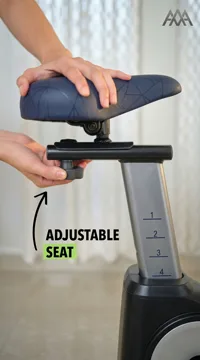
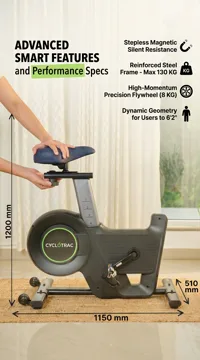
 Every ad above was generated in one click from the photos shown under it — no prompts, no editing.
Spokesperson hook
The first two seconds decide the scroll. Add a spokesperson and your video opens with a presenter talking straight to camera — on product ads, the ad director writes the hook line from its own concept; on catalog videos, you write it or let the AI pitch the product. Then the film takes over.
Real output — Maya opens a kettle ad with a line the ad director wrote. Tap for sound.

Maya
Upbeat creator

Daniel
Friendly expert

Amara
Polished lifestyle

Leo
Energetic reviewer

Priya
Warm storyteller

Ethan
Laid-back creator
All six presenters are AI-generated people. They aren't real, so your ads never owe anyone a release.
Overlay Studio
Price, product name, offer and your brand on animated, art-directed cards — choreographed to each scene by the Overlay Studio. A world away from burned-in captions.
AI writes the product pitch from your title and details.
Natural AI voices read it — or skip to music-only.
Word-timed captions in designer styles.
A licensed library, matched to the mood.
Your logo, colors and offer on animated cards.
Five layers — each one optional, all automatic by default, all editable in the Studio.
Destinations
Pick the destination when you create the video and the format, length and sound snap to that platform's rules — TikTok Shop-ready in one click (the 9:16, 9–60s hero video the Shop requires), Reels and Shorts, Etsy's muted 15-second squares, Amazon and your product page. Same photos, any destination.
A living asset
Ad clips go stale the day the price changes. A Reelventory film is a permanent asset you update, recut, embed and automate — without ever re-shooting.
Edit the price or swap the offer and the overlay re-renders on the same film in minutes — no re-generation, no new shoot. Connected to Shopify? We flag videos whose price has drifted.
Black Friday, Flash Sale, Holiday, New Arrival, Back in Stock — one-click banner packs restyle any existing video for the moment, overlay-only.
6, 15 and 30-second cut-downs in vertical, square and wide — sliced from the shots you already generated, ready for ads, feeds and marketplaces.
Publish a hosted watch page or drop a one-line embed on your site. Embeds always play the latest version — refresh the video and every page updates with it.
Connect Shopify once and every product you add gets a branded video generated and published back to its page automatically — under a monthly credit cap you control.
Price and offer updates re-render only the overlay and cost no credits. Cut-downs re-stitch existing shots — a fraction of the credits of a new video.
Put your catalog in motion →Your brand, every frame

Built for catalogs
Priced so video isn't reserved for the hero product. Import a CSV or Google Sheet, paste product URLs, or connect the API — then batch-generate the whole catalog while you run the store. Every video comes back with your branded overlay, smart-filled with that product's name, price and offer.


Video wall
Those videos shouldn't sit in a folder. Drop one line of code on your own store and each video you publish lands in a living, auto-updating wall — carrying your brand, always showing your latest work.

Sunset trucker cap
$38

Gold knot earrings
$89

Walnut side table
$189

Nonstick wok set
$64

Hooded dog robe
$34

Glazed planter set
$45
Sunset trucker cap
$38
Gold knot earrings
$89
Walnut side table
$189
Nonstick wok set
$64
Hooded dog robe
$34
Glazed planter set
$45
The whole integration
<!-- paste once, anywhere on your store -->
<div data-video-gallery="your-id"></div>
<script async src="https://watch.reelventory.com/embed.js"></script>
That’s it. Every video you publish appears on the wall automatically — no re-embedding — and it’s hosted for you at your own brand-labeled page too.
A storefront where the products move reads like an operation with a studio behind it. That's the whole trick — you get the wall for the price of the videos you were already making.
Shoppers arriving from an ad or a share size up your store in seconds. A page in motion — new arrivals and sale items leading — reads as a shop worth buying from, not a template.
Publish a video and it drops onto the wall on its own — no re-embedding, no upkeep. The wall always leads with your latest work, and with Shopify auto-sync, new products join it without you touching anything.
Pricing
Simple plans, honest credits — cancel anytime.
For new shops
$19/mo
2,000 credits/month
≈ 13 product videos/mo · $1.43 per video
For growing brands
$49/mo
5,500 credits/month
≈ 36 product videos/mo · $1.34 per video
For full catalogs
$149/mo
18,000 credits/month
≈ 120 product videos/mo · $1.24 per video
Included free on every plan
Unlimited overlay styles
AI-composed music
Captions & AI script
Voiceover
Price & offer refresh
Every format, Full HD
Hosted watch pages & embeds
Automatic refunds
Full commercial license
1 product video = 15 seconds, made from 1–3 photos · Annual billing: 2 months free.
Cost of every video size, credit packs & pricing FAQ →FAQ